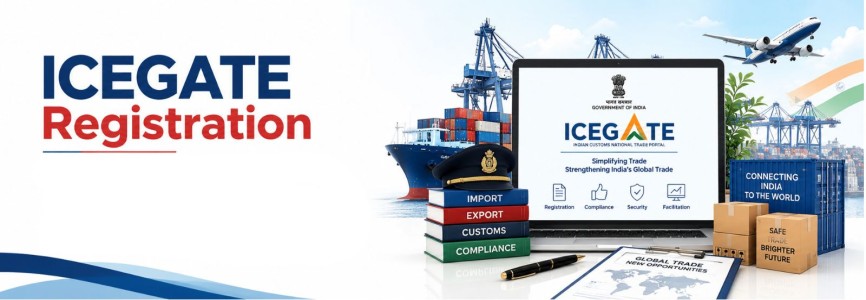



India’s import-export ecosystem has become increasingly digital. Customs declarations, supporting documents, duty payments, export incentives and communication with Customs authorities are now largely handled through electronic systems. At the centre of this digital customs environment is ICEGATE — the Indian Customs Electronic Data Interchange Gateway, officially known as the Indian Customs National Trade Portal.
For an importer or exporter, having an Importer Exporter Code, or IEC, is generally the first regulatory step. However, an IEC alone does not provide access to the complete customs electronic filing ecosystem. Businesses that need to file customs documents, communicate electronically with Customs, upload supporting documents, make customs payments, manage bank accounts or track import-export transactions generally need to operate through ICEGATE.
ICEGATE registration therefore plays an important practical role in conducting cross-border trade in India. It connects importers, exporters, Customs Brokers, shipping lines, freight forwarders, custodians, government agencies and Customs authorities through one electronic platform. According to ICEGATE, registration provides a user with an ICEGATE ID for future electronic interactions and is a prerequisite for online filing of customs-related documents such as Bills of Entry and Shipping Bills.
What Is ICEGATE?
ICEGATE stands for Indian Customs Electronic Data Interchange Gateway. It is administered under the Directorate General of Systems and Data Management of the Central Board of Indirect Taxes and Customs, or CBIC. The portal acts as an electronic interface between Indian Customs and businesses involved in international trade.
Through ICEGATE, trade users can access services connected with customs document filing, customs duty payments, e-SANCHIT, GSTIN integration, enquiries, export incentives, digital signatures and several other customs processes. The current ICEGATE 2.0 portal also provides services relating to GSTN integration, electronic payment, e-SANCHIT and customs compliance information.
ICEGATE should not, however, be confused with an Importer Exporter Code. IEC is issued under the Directorate General of Foreign Trade system, while ICEGATE is the Customs electronic gateway through which customs-related activities are undertaken.
IEC and ICEGATE Registration Are Different
An IEC is the principal identification number generally required for importing or exporting goods from India. Under the Foreign Trade Policy 2023, no person can ordinarily import or export goods without obtaining an IEC unless the person or transaction falls within a specified exemption.
The Foreign Trade Policy also requires IEC holders to electronically update or confirm their IEC particulars every year during the April-June period. Failure to complete the prescribed annual update can lead to deactivation of the IEC until the required updation is successfully completed.
ICEGATE registration is different. Once a business has the required IEC, it can register as an Importer/Exporter user on ICEGATE and access the Customs electronic ecosystem. Businesses should therefore treat IEC registration and ICEGATE registration as two connected but separate compliance requirements.
Why Is ICEGATE Registration Important for Import Export Business?
Modern Customs processing is primarily electronic. ICEGATE registration allows a business to establish its authenticated identity with Customs and undertake electronic customs transactions.
Registered users can file or access customs documents, monitor jobs submitted electronically, receive acknowledgements, use e-SANCHIT, access customs payment services and manage other customs-related activities. ICEGATE’s registration FAQ expressly states that registration is a prerequisite for filing customs-related documents such as Bills of Entry and Shipping Bills online.
This becomes particularly important because the Customs Act itself requires core import and export entries to be made electronically on the customs automated system.
Legal Basis of Electronic Customs Filing
ICEGATE registration is closely connected with the electronic filing requirements contained in the Customs Act, 1962. While ICEGATE itself operates as the electronic portal, the underlying legal duties arise from the Customs Act and related rules, regulations and notifications.
Section 46 – Bill of Entry for Imports
Section 46 of the Customs Act, 1962 governs the entry of goods on importation. An importer of goods, other than goods intended for transit or transhipment, is required to present electronically on the customs automated system a Bill of Entry for home consumption or warehousing in the prescribed manner.
The Bill of Entry contains critical information concerning imported goods, including description, classification, quantity, assessable value, country of origin and applicable exemptions or notifications. ICEGATE provides the electronic environment through which the Customs system receives and processes such data.
Section 50 – Shipping Bill for Exports
Section 50 applies to export goods. It requires an exporter to make an electronic entry on the customs automated system by presenting a Shipping Bill when goods are being exported by vessel or aircraft, or a Bill of Export in appropriate cases of land exports.
The exporter is also responsible for making a declaration regarding the truth of the information contained in the export document. Electronic customs filing through ICEGATE therefore forms an important operational element of compliance with Section 50.
Section 17 – Self-Assessment of Customs Duty
Section 17 places significant responsibility directly on importers and exporters. An importer filing goods under Section 46 or an exporter filing goods under Section 50 is required to self-assess the duty, where applicable.
The Customs officer may verify the declarations and self-assessment, examine or test the goods and require additional information or documents. This means that ICEGATE registration should never be viewed merely as creating a login account. Transactions submitted through the Customs system can create substantive legal responsibilities concerning classification, valuation, duty, exemption claims and declarations.
Incorrect classification, undervaluation, incorrect exemption claims or material misdeclarations can result in reassessment and potentially further action under the Customs Act.
Who Can Register on ICEGATE?
ICEGATE registration is not limited to importers and exporters. The portal recognises multiple categories of trade and logistics users.
Eligible users include importers and exporters, Customs Brokers, shipping lines, shipping agents, airlines, freight forwarders, Non-Vessel Owning Common Carriers, custodians, authorised terminal operators, console agents, e-seal vendors, participating government agencies, certain non-IEC/UIN holders, Container Train Operators, ECCS users and SEZ entities.
For an ordinary business importing or exporting goods under its own IEC, the relevant registration category will generally be Importer/Exporter.
Prerequisites for ICEGATE Registration
Businesses should first ensure that their identity records are consistent across PAN, DGFT, GST and organisational documents. Registration failures frequently arise from mismatched names, outdated mobile numbers or email addresses, or discrepancies between IEC and GST records.
ICEGATE’s current registration manual specifies that the email ID and mobile number used by an Importer/Exporter should be registered with DGFT and, where relevant, GSTN. The applicant’s name must match PAN records.
The authorised representative or parent user should also keep the required identification and authorisation documents available. ICEGATE guidance refers to PAN, Aadhaar linked with DigiLocker, Digital Signature Certificate and an authorisation letter from the organisation as relevant requirements for registration. ICEGATE registration is designed as a paperless process. Its official FAQ states that physical hard-copy applications are not accepted under the present registration mechanism.
Digital Signature Certificate for ICEGATE
A valid Digital Signature Certificate, or DSC, is an important part of the ICEGATE registration and electronic filing environment. The DSC is used to authenticate the authorised person and electronically sign applicable documents and transactions.
The registration guidance requires authorised representatives to keep a valid DSC available during the registration process, and the current ICEGATE registration service separately provides facilities for registering and updating DSCs. Businesses should ensure that the DSC belongs to the appropriate authorised person, remains valid and is updated on ICEGATE when renewed or replaced.
Aadhaar and PAN Validation
Identity validation is an important part of the ICEGATE 2.0 registration process. The name entered by the authorised person must correspond with PAN records, while Aadhaar validation is also incorporated into registration procedures. The ICEGATE registration FAQ states that both DSC and Aadhaar are required for the validation process and that a paper-based alternative is not accepted simply because an applicant does not possess them. Accordingly, businesses should resolve PAN-Aadhaar identity discrepancies before beginning registration rather than attempting to correct them after the application has been submitted.
ICEGATE Registration Process
The ICEGATE registration process is completed online through the official ICEGATE portal. The applicant must begin by selecting the “Register Now” option and choosing the appropriate user category, such as Importer/Exporter. The process involves identity verification, validation of business details and submission of the required registration information.
1. Select the Appropriate User Role
The applicant must choose the correct registration category based on the nature of the business. For most import-export businesses, the applicable category is Importer/Exporter. Selecting the correct role is important because the information and verification requirements may differ for each user category.
2. Enter IEC and Business Details
The applicant is required to provide details such as the Importer Exporter Code (IEC), organisation name, PAN, GSTIN, registered address and contact information. These particulars should match the records available with DGFT, GSTN and other relevant government databases.
3. Complete GSTIN Verification
Where GST registration is applicable, the GSTIN linked with the business must be verified during the registration process. Any mismatch between GSTIN, PAN or IEC records can delay registration. Businesses should therefore ensure that all details are updated before submitting the application.
4. Verify Mobile Number and Email ID
ICEGATE requires verification of the registered mobile number and email ID through OTP-based authentication. The contact details should ideally correspond with those available in the business records. These details are also important for future account access and security verification.
5. Verify the Authorised User
The authorised person representing the organisation must complete the required identity verification. Details such as PAN, Aadhaar, Digital Signature Certificate and authorisation documents may be required depending on the registration category and current ICEGATE procedure.
6. Generate and Use the Reference ID
A reference ID may be generated during the registration process. As per ICEGATE guidance, the reference ID generally remains valid for 15 days. The applicant should complete and submit the registration within this period to avoid expiry and restarting the process.
7. Upload Required Supporting Documents
The applicant may be required to upload supporting documents relating to the entity and authorised representative. These may include an authorisation letter, identity documents, DSC-related details and other records requested on the portal.
8. Review the Registration Form
Before final submission, all entered details should be reviewed carefully. Particular attention should be given to the IEC, PAN, GSTIN, organisation name, registered address, authorised representative details and contact information to avoid discrepancies.
9. Submit the Registration Application
Once all details and supporting documents have been verified, the applicant can submit the registration form electronically. After successful processing, the registered user can access the ICEGATE account and use the available Customs services.
GSTIN Integration and IEC-GSTIN Mapping
For GST-registered importers and exporters, proper GSTIN integration with Customs is important. ICEGATE provides facilities for integrating GSTIN into the Customs system and for matching IEC with GSTIN. The GSTIN integration service allows a trade user to submit a GSTIN for integration with Customs. ICEGATE guidance states that after successful submission, the GSTIN is expected to reflect in the Customs system after system processing.
ICEGATE also provides an IEC-GSTIN mapping service. Where the GSTIN is not already integrated with Customs, the business may first be required to complete GSTIN integration and subsequently map the IEC with the relevant GSTIN. Businesses operating from multiple states should take particular care because a PAN holder may have separate GSTINs for different states.
e-SANCHIT and Supporting Documents
e-SANCHIT, or electronic Storage and Computerized Handling of Indirect Tax documents, is an important facility available through ICEGATE. It allows importers, exporters and other trade users to submit supporting documents electronically instead of relying on physical paperwork during customs clearance. This helps streamline document verification and improves coordination between Customs and participating government agencies.
1. Electronic Submission of Documents
e-SANCHIT enables businesses to upload customs-related supporting documents in electronic form. This reduces the need to submit physical copies at Customs locations. The uploaded records can be accessed by authorised Customs officers during assessment and clearance.
2. Common Documents Uploaded through e-SANCHIT
Documents commonly associated with customs processing include the Bill of Lading or Airway Bill, commercial invoice and packing list. Depending on the nature of goods, additional certificates, licences, permits or declarations may also be required. The exact document requirement varies according to the product and applicable regulations.
3. Product-Specific Supporting Documents
Certain imported or exported goods may require approvals from Participating Government Agencies such as FSSAI, BIS, Plant Quarantine or other regulatory authorities. Businesses must ensure that the necessary certificates or permissions are uploaded wherever applicable. Missing documents can delay assessment or customs clearance.
4. Generation of Image Reference Number
Once a document is successfully uploaded through e-SANCHIT, the system generates an Image Reference Number (IRN). This unique number identifies the uploaded document within the Customs system. The IRN can then be quoted in the relevant customs declaration.
5. Linking Documents with Customs Declaration
The generated IRN is linked with the applicable Bill of Entry, Shipping Bill or other customs declaration. This allows Customs officers to view the supporting document electronically while examining the transaction. Proper linking of documents is important to avoid processing delays.
6. Access by Customs and Participating Agencies
Documents uploaded through e-SANCHIT can be accessed electronically by Customs authorities and relevant Participating Government Agencies. This helps different authorities verify compliance without requiring repeated physical submission of the same records. It also creates a digital trail of supporting documentation.
7. Importance of Accurate Document Upload
Businesses should ensure that all uploaded documents are complete, legible and consistent with the details mentioned in the customs declaration. Incorrect, outdated or mismatched documents may lead to queries, assessment delays or additional scrutiny. Proper document management is therefore an important part of customs compliance.
Customs Duty Payment and Electronic Cash Ledger
ICEGATE also plays an important role in customs payments. Section 51A of the Customs Act provides for the Electronic Cash Ledger in respect of deposits towards duty, interest, penalty, fees and other amounts payable under Customs law. Amounts deposited through authorised modes are credited to the electronic cash ledger and can be used for specified Customs payments. The Electronic Cash Ledger therefore represents another reason why accurate ICEGATE registration and identity mapping are important. It links Customs payment functionality with the registered trade identity.
Bank Account and AD Code Registration
Exporters should distinguish ICEGATE registration from bank account and Authorised Dealer Code registration. Completing ICEGATE registration does not automatically mean that every bank account or export remittance arrangement has been configured. ICEGATE’s Bank Account Management system allows users to manage refund or incentive accounts and foreign-remittance accounts associated with an Authorised Dealer Code.
For AD Code registration, the exporter may need to provide details such as bank name, branch, AD Code, account information, Customs location and supporting documents uploaded through e-SANCHIT. This is particularly relevant to exporters dealing with customs ports and claiming refunds or export incentives.
Export Incentives through ICEGATE
ICEGATE is also used in the administration of certain export incentive mechanisms. For example, electronic scrip facilities are available for schemes such as RoDTEP and RoSCTL. Registered exporters can access relevant ICEGATE modules to manage eligible electronic scrip-related activities in accordance with scheme conditions. However, ICEGATE registration alone does not create eligibility for an incentive. The exporter must independently satisfy the legal and procedural conditions applicable to the relevant Foreign Trade Policy or Customs scheme.
Customs Broker and ICEGATE Registration
Importers and exporters often appoint a Customs Broker to handle customs clearance. Using a Customs Broker does not eliminate the need for the importer or exporter to maintain accurate IEC, GST, bank and Customs records. Under the Customs framework, liability for declarations does not automatically shift entirely to the Customs Broker. Section 17 places the self-assessment obligation on the importer or exporter in relation to goods entered under Sections 46 and 50. Businesses should therefore review documents filed by their Customs Broker, including classification, valuation, country of origin, exemption notifications and description of goods.
ICEGATE 2.0 Two-Factor Authentication Update in 2026
One of the important recent security developments is the introduction of enhanced Two-Factor Authentication, or 2FA, on ICEGATE 2.0. The January 2026 ICEGATE login guidance provides that users are required to verify login through an OTP sent to the registered mobile number before accessing the ICEGATE dashboard. Mobile OTP remains enabled by default and cannot be disabled. Users may additionally activate email OTP preferences through their profile settings.
This makes it particularly important for businesses to maintain current mobile and email details against their ICEGATE account. Companies should also avoid keeping login access linked solely to an employee whose role may change or who may leave the organisation.
Other ICEGATE Developments Relevant in 2026
ICEGATE continued to expand its digital Customs infrastructure during 2025 and 2026. The portal lists updated registration facilities for GSTIN integration, DSC updation and ICEGATE registration, while new versions of electronic enquiry services and filing advisories have also been released.
The Enquiries 2.0 system has been updated during 2026, and ICEGATE provides newer post-login enquiry tools for trade users. The portal also published an updated advisory for checking Bill of Entry status in January 2026. For businesses processing significant volumes of customs transactions, these developments demonstrate the continuing shift toward digital filing, digital tracking and direct electronic interaction with Customs.
Common Reasons for ICEGATE Registration Problems
Many ICEGATE registration issues arise not because a business is ineligible, but because records do not match across government systems. Differences in the authorised person’s name, PAN information, mobile number, email address, GSTIN information or DGFT records can interrupt validation.
An expired DSC, incorrect authorisation letter or incorrect user role can also create registration difficulties. Businesses should therefore perform a pre-registration data check across DGFT, GST, PAN, Aadhaar and organisational records before starting the application. After registration, changes in authorised personnel, contact details, DSC or organisational information should also be handled promptly so that access to customs transactions is not disrupted.
Is There a Separate ICEGATE Registration Renewal?
ICEGATE registration should not be confused with the annual IEC confirmation requirement. The DGFT requirement to update or confirm IEC particulars during April-June is an IEC compliance obligation under the Foreign Trade Policy. ICEGATE users should instead ensure that their user credentials, DSC, authorised person, bank details, contact details, GSTIN mapping and relevant Customs registrations remain current. Where a DSC expires, it should be replaced and updated through the corresponding ICEGATE facility. The portal presently provides a specific DSC update service for registered users.
Compliance Responsibilities After Registration
ICEGATE registration gives a business access to the Customs electronic system, but it does not reduce the substantive compliance responsibilities imposed under Customs and Foreign Trade laws. Importers and exporters must continue to ensure correct tariff classification, valuation, country-of-origin declarations, licence requirements, restrictions and prohibitions, exemption eligibility, duty calculation and supporting documentation.
Section 17 of the Customs Act is particularly important because Customs operates on a self-assessment basis. The proper officer retains authority to verify declarations, call for information, examine goods and reassess duty where the original self-assessment is incorrect. The digital nature of ICEGATE therefore increases the importance of internal compliance controls because filings create an electronic regulatory record that can subsequently be examined by Customs authorities.
Conclusion
ICEGATE registration has become a fundamental part of India's digital import-export environment. For businesses engaged in international trade, it acts as the bridge between the organisation and the Customs electronic system.A properly configured ICEGATE account enables customs filing, electronic document submission, payment functionality, shipment tracking, GSTIN integration, bank and AD Code management and access to several other Customs services.
However, businesses should remember that ICEGATE registration is not a substitute for IEC, GST registration, product-specific licences or other import-export approvals. The complete compliance structure depends on the nature of the goods, Customs Tariff classification, applicable Foreign Trade Policy provisions, restrictions, participating government agency requirements and the specific import or export transaction.
In 2026, with mandatory two-factor authentication and expanding digital customs services, businesses should maintain accurate DGFT, GST, PAN, Aadhaar, DSC and bank records and regularly review access given to authorised persons. For an import-export business, getting ICEGATE registration right at the beginning can significantly simplify customs interaction and reduce operational delays. More importantly, businesses should treat ICEGATE not merely as a filing portal, but as an integral part of their overall Customs and foreign trade compliance system.
Frequently Asked Questions (FAQS)
Q1. What is ICEGATE Registration?
Ans: ICEGATE Registration allows importers and exporters to access India’s Customs electronic portal.
It enables online filing of Bills of Entry, Shipping Bills and supporting documents.
Registered users can also access customs payments, enquiries and e-SANCHIT services.
It is an important digital compliance requirement for businesses dealing with Customs.
Q2. Is ICEGATE Registration mandatory for importers and exporters?
Ans: ICEGATE registration is required for businesses that need to electronically interact with Customs.
It is particularly relevant for filing customs documents and accessing online Customs services.
Importers and exporters generally register using their IEC and authorised representative details.
The requirement depends on the nature of the customs transactions being undertaken.
Q3. Is IEC required for ICEGATE Registration?
Ans: An IEC is generally required for businesses importing or exporting commercial goods from India.
Importer-exporter users normally register on ICEGATE using their valid IEC details.
IEC is issued through DGFT, whereas ICEGATE is operated under the Customs administration.
Both serve different purposes but work together in import-export compliance.
Q4. What documents are required for ICEGATE Registration?
Ans: Applicants generally require PAN, IEC details and information about the authorised representative.
Aadhaar verification, Digital Signature Certificate and an authorisation letter may also be required.
GSTIN and contact details should match the records available with the relevant government systems.
Exact documents can vary according to the category of user registering on ICEGATE.
Q5. Is a Digital Signature Certificate required for ICEGATE?
Ans: A valid Digital Signature Certificate is commonly required for authentication on ICEGATE.
It helps digitally sign and authenticate prescribed customs documents and electronic transactions.
The DSC should belong to the authorised person and remain valid during its use.
Expired or replaced DSCs should be updated on the ICEGATE portal.
Q6. What is the difference between IEC and ICEGATE Registration?
Ans: IEC is an identification number issued by DGFT for carrying out import-export activities.
ICEGATE Registration provides access to the Customs electronic filing and service platform.
Obtaining an IEC does not automatically complete all Customs portal-related requirements.
Businesses may therefore require both depending on their import-export operations.
Q7. What is e-SANCHIT on ICEGATE?
Ans: e-SANCHIT is an electronic facility for uploading supporting documents required by Customs.
Documents such as invoices, packing lists and other certificates can be submitted electronically.
After upload, an Image Reference Number is generated for linking with customs declarations.
It reduces dependence on physical submission of documents during customs clearance.
Q8. Can exporters register their AD Code through ICEGATE?
Ans: ICEGATE provides facilities for managing bank details and Authorised Dealer Code information.
AD Code registration is important for exporters dealing with export remittances and customs ports.
Exporters may need bank details, supporting documents and the relevant Customs location information.
The applicable procedure should be completed before undertaking relevant export transactions.
Q9. Does ICEGATE Registration need annual renewal?
Ans: ICEGATE registration should not be confused with the annual IEC confirmation requirement.
DGFT requires IEC holders to update or confirm IEC particulars during the prescribed annual period.
ICEGATE users should instead keep DSC, authorised-person and contact information updated.
Any changes in organisational or bank details should also be updated wherever required.
Q10. What are the important ICEGATE updates in 2026?
Ans: ICEGATE 2.0 has strengthened security through mandatory mobile OTP-based two-factor authentication.
The portal has also continued to improve enquiry, document filing and Customs tracking facilities.
Businesses should ensure that their registered mobile number and authorised-user details are current.
Regularly checking ICEGATE advisories helps businesses remain updated with procedural changes.


_crop10_thumb.jpg)


_crop10_thumb.jpg)


-Form_crop10_thumb.jpg)

_crop10_thumb.jpg)


_learn_crop10_thumb.jpeg)


_crop10_thumb.jpg)

_crop10_thumb.jpg)


_crop10_thumb.jpg)




_for_Foreign_Directors_learn_crop10_thumb.jpeg)


_Act,_2015_learn_crop10_thumb.jpg)










_learn_crop10_thumb.jpg)































_crop10_thumb.jpg)

_crop10_thumb.jpg)

_(1)_crop10_thumb.jpg)









_crop10_thumb.png)


_crop10_thumb.jpg)

_crop10_thumb.jpg)





_crop10_thumb.png)
_crop10_thumb.jpg)







_crop10_thumb.png)